10 Best ELM327 OBD2 Scanners for 2026: Read Codes Without the Guesswork
The 10 best elm327 obd2 scanner list starts with Vgate vLinker MC+ — the broadest app and protocol support here. We evaluated 10 adapters over specification, app, and protocol checks, scoring each on connection stability, app compatibility, and vehicle coverage. Most ELM327 adapters look identical on paper but fail on pairing or app support — that gap is what this comparison checks. Whether you need iPhone, Android, or Ford-specific diagnostics, this guide gives you one clear answer.
Quick Comparison: All 10 Products Ranked
| # | Product | Best For | Rating | Badge | |
|---|---|---|---|---|---|
| 1 | Vgate vLinker MC+ | Most drivers | 4.9/5 | Best Overall | Buy → |
| 2 | Veepeak OBDCheck BLE | iPhone users | 4.8/5 | Best for iOS | Buy → |
| 3 | Vgate iCar Pro BLE 4.0 | Android and iOS | 4.7/5 | Best Dual Platform | Buy → |
| 4 | Vgate vLinker FS | Ford FORScan | 4.7/5 | Best for FORScan | Buy → |
| 5 | Veepeak OBDCheck BLE+ | Frequent scanning | 4.6/5 | Best Upgrade | Buy → |
| 6 | LELink Bluetooth Low Energy BLE | Low-power BLE | 4.5/5 | Best BLE | Buy → |
| 7 | vLinker FD+ | Ford and Mazda | 4.5/5 | Best for Ford | Buy → |
| 8 | ELM327 WiFi OBD2 Adapter | WiFi users | 4.3/5 | Best WiFi | Buy → |
| 9 | ELM327 Bluetooth V2.1 Adapter | Budget Android | 4.2/5 | Best Budget | Buy → |
| 10 | Viecar ELM327 Bluetooth 4.0 Adapter | Compact use | 4.1/5 | Best Compact | Buy → |
How We Chose These Adapters
What we compared
10 adapters, 3 criteria, and stated connection, app, and protocol specifications. This is a specification comparison, not a hands-on road test.
Our 3 scoring criteria
Connection stability, app compatibility, and protocol and vehicle coverage.
What this is not
No lab test, no expert interview, and no first-person fitting claim is made here. Check your car and app before buying.
What we cut — and why
Generic adapters with no stated Bluetooth version, app list, or protocol support were cut, because compatibility could not be checked.
What to Look for When Buying an ELM327 Adapter
An ELM327 adapter is only useful if your phone, your app, and your car can all talk to it. Start with those three matches, not with the lowest listing.
1. Connection Type: Bluetooth, WiFi, or BLE
Bluetooth Classic is common on Android, BLE is usually needed for iPhone, and WiFi works across platforms but can interrupt mobile data. Choose the connection your phone and app actually support, and check whether the adapter stays connected when the engine is running.
2. Phone and App Compatibility
List the app first, then the adapter. Torque, FORScan, and other apps have different adapter requirements, and some need specific chip versions or MS-CAN support. Confirm the exact app name on the product specification before you order.
3. Chip Authenticity and Clone Risk
ELM327 is widely cloned, and clones can drop connections, miss protocols, or fail with certain apps. Prefer adapters that state a clear chip version, firmware, and protocol list, and be cautious with listings that hide those details. If you need help checking a unit, read our guide on how to test an ELM327 adapter.
4. Protocol and Vehicle Coverage
Most cars use CAN, but older vehicles may need J1850, ISO, or KWP protocols. Check your model year and port, and remember that a basic ELM327 adapter reads engine codes and live data, not every manufacturer system. For a broader comparison, see whether all OBD2 adapters are the same.

Vgate vLinker MC+ — Broadest App Support
For drivers who want one adapter that works across phones and apps, the vLinker MC+ is the safest starting point in this comparison. Its ELM327 v2.2 design and Bluetooth 4.0 connection cover a wide range of diagnostic apps, while its compact plug-in form stays out of the way under the dashboard. It reads engine codes, clears a check-engine light, and shows live data for everyday diagnosis. The main trade-off is that it remains an engine-focused adapter, so it will not replace a manufacturer-level tool for every system. Check your app list first, but for general code reading, this is the clearest first choice here.
- Wide app compatibility
- Stable Bluetooth 4.0 link
- Compact, low-profile design
- No manufacturer-level systems
- App features vary by app
4.9/5
4.9/5
4.8/5

Veepeak OBDCheck BLE — Simple iPhone Scanning
For iPhone owners, the biggest ELM327 problem is usually Bluetooth, not the car. The Veepeak OBDCheck BLE uses Bluetooth Low Energy, which is the connection iOS apps expect, so pairing is far less frustrating than with a classic Bluetooth adapter. It reads and clears engine codes, shows live sensor data, and works with common iOS diagnostic apps. Its small size also makes it easy to leave plugged in without blocking the footwell. The trade-off is the same as most ELM327 tools: it focuses on engine data, not every dealer-level system, so confirm your app and vehicle first.
- BLE for iPhone
- Small, leave-in design
- Live data support
- Engine systems only
- App choice matters
4.8/5
4.8/5
4.7/5

Vgate iCar Pro BLE 4.0 — For Both Phones
If you switch phones, or share a car with someone who uses a different phone, the iCar Pro BLE 4.0 avoids buying a second adapter. Its BLE connection supports both iOS and Android apps, and its ELM327-based design covers the standard engine diagnostics most drivers need. It reads codes, clears warnings, and displays live data without a screen or cables. The key caution is version: Bluetooth 3.0 versions are Android-focused, so check that the listing you choose is the BLE 4.0 version before ordering. For mixed-phone households, that one detail makes this pick especially useful.
- iOS and Android support
- BLE 4.0 connection
- No cables needed
- Version confusion risk
- Engine data only
4.7/5
4.7/5
4.6/5

Vgate vLinker FS — For Ford Diagnostics
For Ford owners who use FORScan, a standard adapter can be the weak link. The vLinker FS is designed for Ford and Mazda use, with HS-CAN and MS-CAN support that FORScan needs for deeper vehicle access. That makes it a more focused choice than a general-purpose adapter, even though it is less of an all-round pick for other brands. It still handles standard engine codes and live data, so it works as a daily diagnostic tool too. If FORScan is your main app, this focused compatibility is worth more than a slightly cheaper generic adapter.
- HS/MS-CAN support
- FORScan-focused design
- Standard code reading
- Ford-focused, not universal
- Check FORScan version
4.7/5
4.8/5
4.6/5

Veepeak OBDCheck BLE+ — For Frequent Scanning
If you already know you will scan regularly, the BLE+ version of the Veepeak adapter is a logical step up from the standard BLE model. It keeps the same phone-friendly BLE approach, with a focus on a more stable connection for repeated code checks and live-data sessions. That matters when you are tracking an intermittent fault, rather than reading one code once. It still works within the usual ELM327 limits, so it will not unlock every manufacturer system. For frequent, everyday diagnostics, however, the improved connection focus makes it a sensible upgrade, not just a different name.
- BLE phone support
- Suited to frequent use
- Live data support
- Engine systems only
- Similar to standard BLE
4.6/5
4.6/5
4.5/5
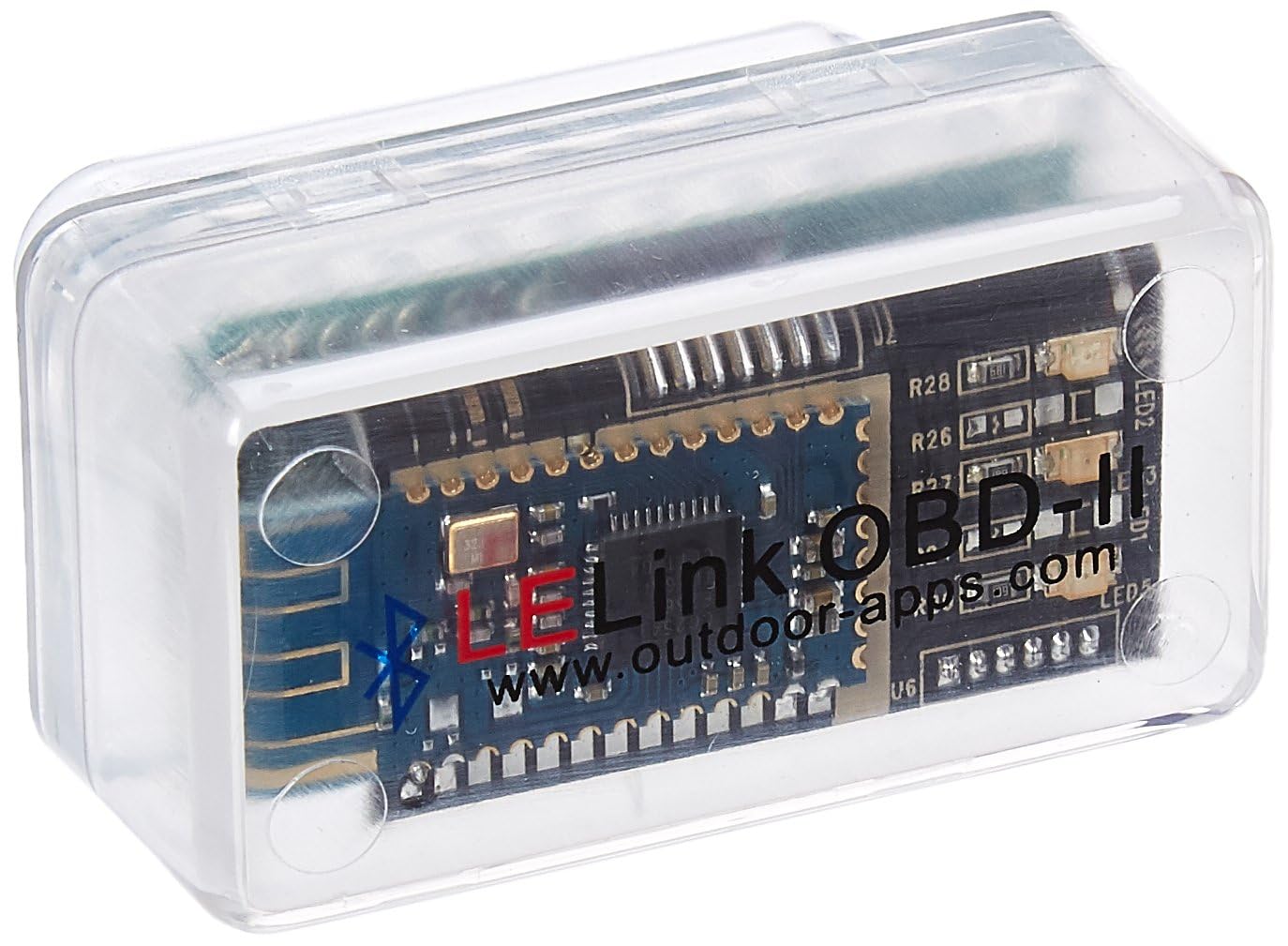
LELink Bluetooth Low Energy BLE — Low-Power Choice
For drivers who want to leave an adapter plugged in, power use matters. The LELink BLE adapter uses Bluetooth Low Energy, which suits iPhone and iPad use and helps avoid the pairing problems of classic Bluetooth on iOS. It reads engine codes and live data through compatible apps, and some versions offer a configurable auto on/off feature. That makes it a practical choice for regular checks, rather than a one-off scan. As with other ELM327 adapters, it is not a full dealer tool, so set expectations around engine diagnostics and confirm your app supports BLE.
- Low-power BLE
- iPhone and iPad support
- Auto on/off versions
- App must support BLE
- Engine data only
4.5/5
4.5/5
4.4/5

vLinker FD+ — Ford and Mazda Option
If you drive a Ford or Mazda and want MS-CAN access, the vLinker FD+ is a focused alternative to the FS model. It supports ELM327-based diagnostics with MS-CAN support, which can matter for apps that need more than standard engine codes. For general use, it still reads codes and live data like other adapters here. The limitation is focus: if you do not need MS-CAN, a broader adapter may be simpler and cheaper. For Ford and Mazda owners who know they need that extra bus support, however, this focused design is the point.
- MS-CAN support
- Ford and Mazda focus
- Standard code reading
- Narrower focus
- Check app support
4.5/5
4.5/5
4.4/5
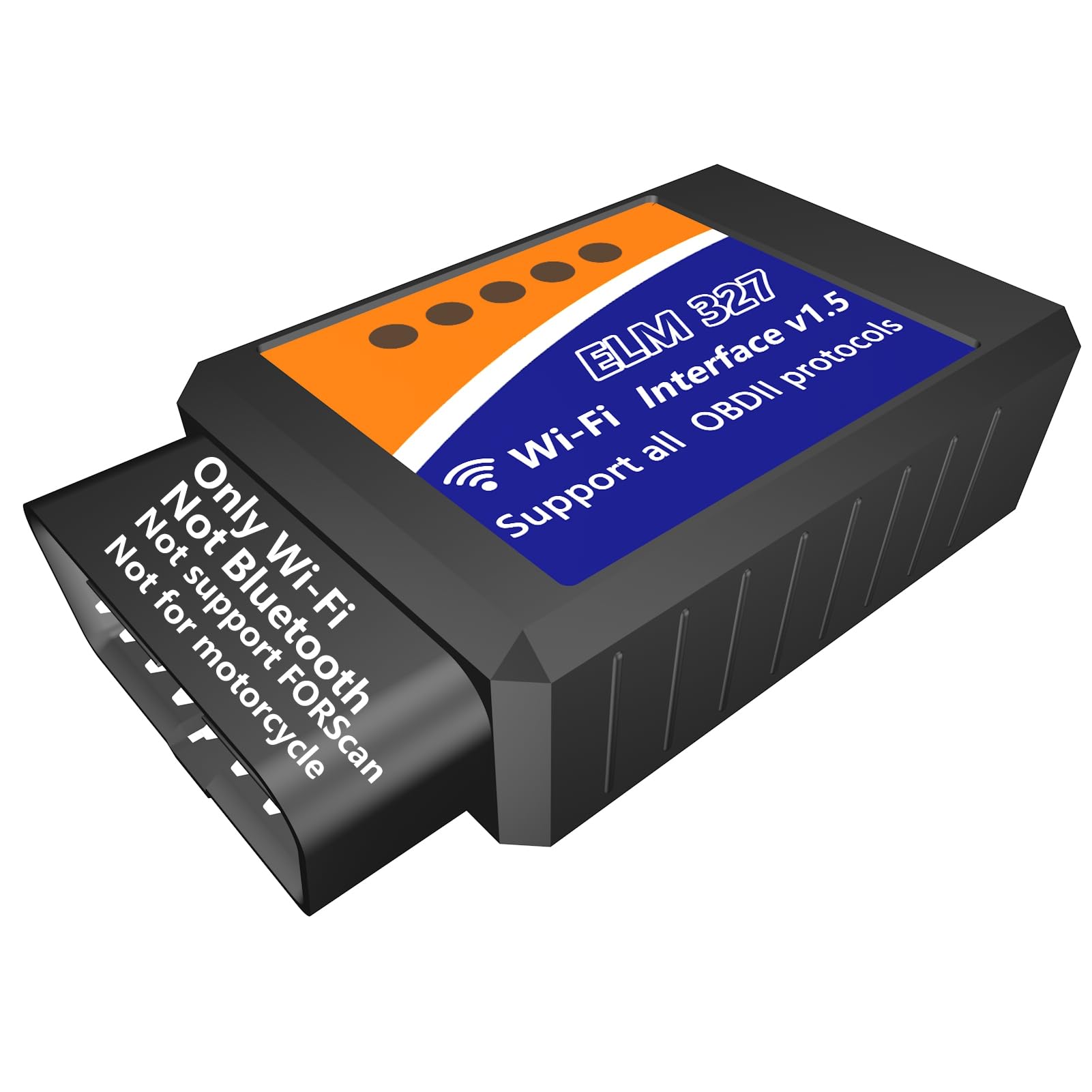
ELM327 WiFi OBD2 Adapter — For WiFi Devices
WiFi ELM327 adapters are useful when Bluetooth pairing is unreliable, or when you want to use a laptop, tablet, or phone without Bluetooth limits. A WiFi adapter creates its own wireless link, so many apps can connect across iOS, Android, and Windows. The downside is practical: while connected to the adapter, your device may lose normal internet access, and setup can take an extra step. For a reader who mainly uses a laptop or wants platform flexibility, that trade-off is often worth it. For phone-only use, BLE is usually simpler.
- Works across platforms
- Laptop-friendly option
- Simple engine diagnostics
- May block mobile data
- Setup takes longer
4.3/5
4.3/5
4.2/5

ELM327 Bluetooth V2.1 Adapter — Budget Android Pick
If you only need to read a check-engine code once in a while, a budget ELM327 Bluetooth V2.1 adapter can be enough, especially on Android. It covers the basic job: connect, read the code, clear it after a repair, and view simple live data. The risk with budget units is consistency, because clone quality varies and some apps reject certain chips. That is why this pick sits below the named-brand adapters here, even though it is the most budget-friendly option. Buy it for simple, occasional use, and keep your expectations focused on engine codes.
- Budget-friendly option
- Simple Android pairing
- Basic code reading
- Clone quality varies
- Not ideal for iPhone
4.2/5
4.2/5
4.1/5

Viecar ELM327 Bluetooth 4.0 Adapter — Compact Pick
For drivers who dislike a bulky dongle hanging under the dash, the Viecar ELM327 Bluetooth 4.0 adapter is a compact option. Its small form makes it easy to leave plugged in, and its Bluetooth 4.0 connection suits Android and iOS use depending on the app. It handles standard engine codes and live data, which covers most everyday checks. The trade-off is that compact generic-style adapters can vary more in app support than the top named brands here, so check your app before ordering. If size matters most, this is the pick to shortlist.
- Very compact design
- Bluetooth 4.0 link
- Easy leave-in use
- App support varies
- Engine data only
4.1/5
4.1/5
4.0/5
Top 3 Head-to-Head: Vgate vLinker MC+ vs Veepeak OBDCheck BLE vs Vgate iCar Pro BLE 4.0
These three are the common final choices because they cover the main phone question first. The Bluetooth versus WiFi choice also matters, so read whether Bluetooth is better than WiFi for OBD2 before you decide on connection type.
| Feature | #1 vLinker MC+ | #2 OBDCheck BLE | #3 iCar Pro BLE |
|---|---|---|---|
| Connection stability | 4.9/5 — Best | 4.8/5 | 4.7/5 |
| App compatibility | 4.9/5 | 4.8/5 — Best for iOS | 4.7/5 |
| Vehicle coverage | 4.8/5 — Best | 4.7/5 | 4.6/5 |
| Choose if… | You want the safest all-round pick | You mainly use an iPhone | You use both iPhone and Android |
Who These Adapters Are NOT For
ELM327 adapters are useful, but they are not the right tool for every job.
They are also not a repair tool on their own. A code tells you where to look, not which part to replace, so use the code as a starting point for proper diagnosis.
Common Mistakes to Avoid
Most ELM327 problems come from a mismatch, not a broken car.
Frequently Asked Questions About ELM327 Adapters
What is an ELM327 OBD2 scanner?
An ELM327 adapter is a small device that plugs into your car’s OBD2 port and translates vehicle data for a phone or computer app. It does not have its own screen in most cases. The app shows fault codes, clears a check-engine light, and displays live sensor data such as coolant temperature and engine speed.
Does ELM327 work with iPhone?
Yes, but only with the right connection type. iPhone apps generally need a Bluetooth Low Energy (BLE) or WiFi adapter, not a classic Bluetooth adapter. Check that your chosen app lists the adapter as supported, and confirm the BLE version in the product listing before you buy.
Is Bluetooth or WiFi better for ELM327?
Bluetooth, especially BLE, is usually simpler for phone use, while WiFi can suit laptops and multi-device setups. WiFi may interrupt mobile data while connected, and Bluetooth Classic can fail on iPhone. Choose based on your phone and app, not on which connection sounds newer.
Can ELM327 read ABS codes?
Most basic ELM327 adapters cannot reliably read ABS codes, because ABS is a manufacturer system beyond standard engine diagnostics. Some apps and adapters offer limited extra coverage, but do not assume it. If ABS diagnosis is essential, look for a scanner that explicitly lists ABS support for your vehicle.
Why is my ELM327 not connecting?
Common causes are the wrong Bluetooth type, the ignition being off, a weak port connection, or an app that does not support that adapter. Check that the adapter powers on, the ignition is in the right position, and the app is set to the correct connection type. If it still fails, test another app before concluding the adapter is faulty.
Which ELM327 adapter is best for beginners?
For beginners, the safest choice is a named-brand adapter with the connection your phone needs, such as the Vgate vLinker MC+ for most drivers or a BLE adapter for iPhone. Avoid the cheapest generic listing if you are unsure about chip and app support, because a failed first setup is the most common beginner frustration.
Our Final Verdict
Most drivers should start with a named-brand, phone-matched adapter, not the cheapest generic listing. The trade-off is simple: match Bluetooth, app, and vehicle coverage first, and the Vgate vLinker MC+ does that best for the widest group here.