Why Does Bluetooth OBD2 Disconnect? Causes & Fixes
Quick Answer
Bluetooth OBD2 scanners usually disconnect due to power interruptions at the vehicle’s diagnostic port, signal interference from other active devices, outdated app firmware, or aggressive smartphone power-saving settings that terminate background connections.
Plugging an OBD2 adapter into your car’s diagnostic port is the easiest way to check check engine lights, monitor live sensor data, and read diagnostic trouble codes. However, dealing with a constant stream of dropped connections can turn a quick diagnostic check into a frustrating guessing game.
When an adapter unpairs mid-session, it interrupts live data logging and forces you to restart your diagnostic software. Understanding the root cause of these drops helps you establish a reliable link between your vehicle’s computer and your smartphone or tablet.
Common Reasons Bluetooth OBD2 Adapters Drop Connection
Diagnostic adapters rely on a steady power supply and stable wireless communication. Even a brief disruption in either domain will sever the Bluetooth session.
Power Fluctuations at the OBD2 Port
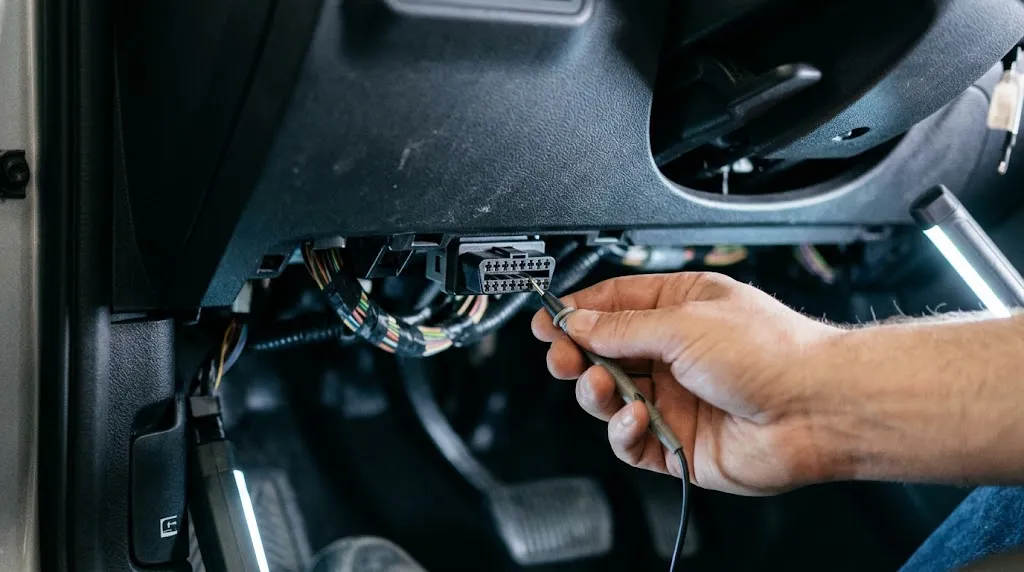
The standard OBD2 port supplies continuous 12-volt power through pin 16, along with a dedicated vehicle ground. If your car has a loose fuse, corroded port pins, or an intermittent charging system issue, the voltage drop can cause the adapter to reboot instantly.
When the adapter loses power, it drops its wireless signal. Once power returns, the device resets, but your diagnostic app usually cannot automatically re-establish the socket handshake without manual intervention.
Smartphone Power Management and Battery Saving
Modern mobile operating systems aggressively manage background tasks to preserve battery life. If your phone places your diagnostic app—such as Torque, OBD Fusion, or Car Scanner—into a suspended state, Bluetooth data transmission stops.
This frequently happens when your screen locks or when you switch to another app while monitoring live gauges. The phone cuts background resources to the diagnostic tool, resulting in an immediate timeout.
Wireless Interference Inside the Cabin
Bluetooth operates on the 2.4 GHz frequency band, which is shared by numerous other devices. Wi-Fi hotspots, aftermarket dash cams, portable routers, and even connected passenger smartphones can create local frequency congestion.
This interference weakens the signal-to-noise ratio between the OBD2 adapter and your phone. If the packet loss exceeds the adapter’s error-correction threshold, the connection drops.
How to Diagnose and Fix Disconnection Issues
Fixing random disconnections requires a systematic approach to isolate whether the fault lies with the vehicle, the adapter, or your mobile device.
1. Check the Physical Fit of the Port
Under-dash clearance and repeated plugging can weaken the grip of the OBD2 port pins. If the adapter wobbles or sags under its own weight:
- Inspect the port for accumulated dust, lint, or bent pins.
- Gently push the adapter inward to ensure a snug connection.
- Consider using a short OBD2 extension cable to relieve weight and vibration strain on the port.
2. Adjust Mobile Background Settings
Prevent your phone from starving the diagnostic app of necessary system resources:
- Disable battery optimization or adaptive battery restrictions for your OBD2 application.
- Allow background data usage and unrestricted battery access.
- Keep your phone screen awake or use the app’s built-in stay-awake setting during long diagnostic sessions.
3. Reset the Pairing Cache
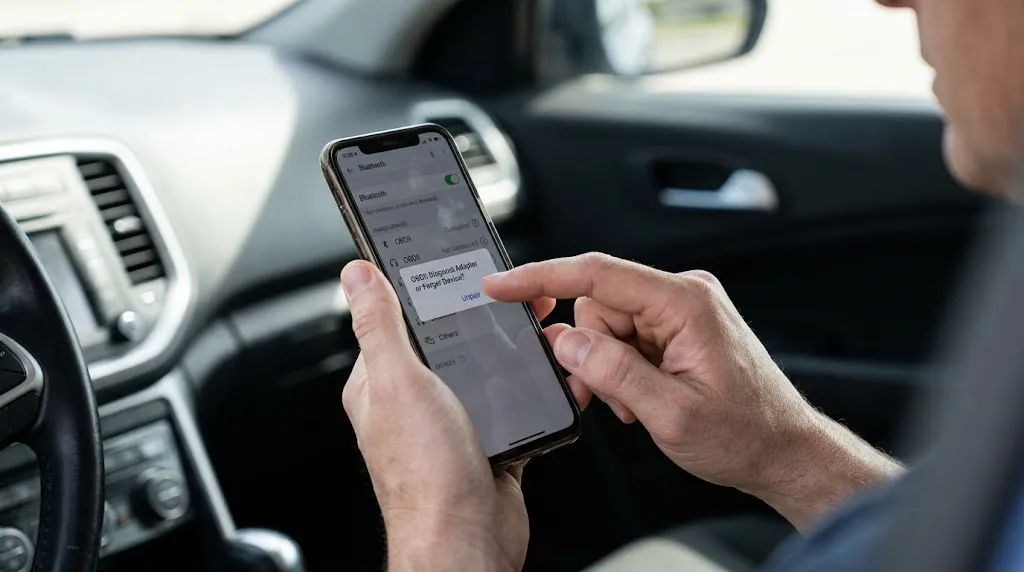
Corrupted Bluetooth cache data on your phone can cause unstable handshakes. Unpair the adapter completely from your phone’s Bluetooth settings menu, restart your device, and re-pair the adapter using the app’s internal connection menu rather than the main operating system settings.
Key Insight
Many cheap ELM327 clone adapters use low-quality Bluetooth chips that overheat during extended live-data streaming, causing internal thermal shutdowns that mimic power failures.
When to Replace Your OBD2 Adapter
If you have updated your app, cleared your Bluetooth cache, and verified a stable power supply at the port, the adapter itself may be failing. Budget adapters purchased online often lack robust voltage regulation and thermal management.
Signs that an adapter needs replacement include:
- Frequent freezing where indicator lights lock up or turn off entirely.
- Failure to connect to any phone or tablet despite successful pairing.
- Excessive heat radiating from the plastic housing during normal operation.
Related Product
Reliable Bluetooth OBD2 Diagnostic Scanners
Upgrade to a stable, high-compatibility adapter with robust connection protocols and steady power filtering for uninterrupted live data logging.
As an Amazon Associate, we earn from qualifying purchases.
Frequently Asked Questions
Why does my OBD2 scanner disconnect only when the engine is running?
Alternator voltage spikes or engine vibration can disrupt loose port connections or overwhelm cheap internal power regulators inside budget adapters, causing them to reset.
Do I need a PIN to pair a Bluetooth OBD2 adapter?
Most adapters use standard pairing codes such as 1234 or 0000. Modern BLE (Bluetooth Low Energy) adapters often pair automatically through your diagnostic app without requiring a manual system PIN.
Can a bad car battery cause Bluetooth scanners to drop?
Yes. A weak battery or failing alternator causes voltage fluctuations across vehicle modules, which can trigger temporary shutdowns at the OBD2 diagnostic port.
Why does the adapter connect initially and then drop after five minutes?
This is usually caused by smartphone battery optimization putting the app to sleep, or by the adapter overheating due to continuous high-speed data polling.
Does Wi-Fi interfere with Bluetooth OBD2 connections?
Heavy interference on the 2.4 GHz spectrum from active Wi-Fi hotspots inside the vehicle can degrade Bluetooth packet transmission and cause sudden disconnects.
How can I test if my OBD2 adapter is broken?
Plug the adapter into a different vehicle. If it experiences the exact same dropping behavior on another car’s port, the adapter’s internal hardware is likely defective.
Conclusion
Troubleshooting a disconnecting Bluetooth OBD2 scanner comes down to isolating power stability, phone power-saving restrictions, and hardware reliability. By checking the physical fit of your diagnostic port, adjusting your smartphone’s background app settings, and monitoring for thermal or electrical faults, you can resolve most dropped connections and maintain a stable diagnostic session.

I’m Alex Rahman, a car enthusiast and automotive writer focused on practical solutions, car tools, and real-world driving advice. I share simple and honest content to help everyday drivers make better decisions.
