10 Best Dash Cam Under $50: Affordable Options for Safer Driving
A dash cam records the road ahead and can provide useful video after a crash, traffic dispute, or unexpected event. Models under $50 usually offer basic recording features in a compact design, making them a practical choice for drivers who want added documentation without a large expense.
The best dash cams under $50 should provide clear daytime video, dependable loop recording, a wide viewing angle, and simple controls. We also look for useful features such as a parking mode, night recording, a secure mount, and a memory card that the camera can support. At this price, buyers may need to accept limits in video quality, app support, or included accessories.
We compared affordable models to find the options that offer the strongest mix of video quality, reliability, ease of use, and useful features for the money.
Best Dash Cams Under $50
We reviewed affordable dash cams for video quality, ease of use, storage, and useful safety features. Our list highlights the best options under $50 for drivers who want basic road recording without a high price.
Veement V300 Dash Cam

We recommend the Veement V300 for drivers who want clear front video, phone access, and useful safety features at a low price.
Key Pros
- Clear daytime video with helpful night visibility
- Small design and wide view of the road
- Wi-Fi app makes clip downloads simple
Key Cons
- microSD card is not included
- Requires constant USB-C power
- App support may vary by phone
We found the V300 easy to place behind the mirror without blocking much of our view. Its wide lens captured several lanes, while the 1296p video showed road signs and nearby vehicles clearly in daylight.
Night footage remained usable, though image quality depended on street lighting. The camera’s compact body and long power cable also made it easier for us to route the cable along the windshield and trim.
The VeeCar app let us preview recordings and download clips without removing the memory card. The Wi-Fi connection works locally, so it does not provide internet access, but it handled basic file transfers well.
Loop recording and a parking mode add useful coverage for daily driving. We should note that parking monitoring needs a constant power setup, and the package does not include a microSD card.
70mai M310 Dash Cam

We recommend the 70mai M310 for drivers who want clear front-facing video, app access, and useful safety features at a low price.
Key Pros
- Sharp 1296p video with a wide viewing angle
- Compact design and simple windshield setup
- Wi-Fi app makes saved clips easy to access
Key Cons
- Memory card is not included
- Parking mode requires a separate hardwire kit
- Night footage may lack detail at longer distances
We found the M310 easy to place behind the mirror, where its small body stayed out of the way. The included car charger and mounting parts helped us finish the installation without much trouble.
Daytime footage looked clear enough to check road signs and nearby license plates. The wide view covered several lanes, while WDR helped balance bright and dark areas. Night video remained usable, though details became less clear farther ahead.
The phone app let us view and download clips without removing the card. Setup took a few extra steps, including creating an account and connecting the phone to the camera’s Wi-Fi.
Loop recording handled daily driving well, and the built-in sensor protected clips after a sudden impact. We should note that parking monitoring and time-lapse recording need the separate 70mai UP03 hardwire kit. We also needed to supply a Class 10 microSD card.
Wagoyo Front and Inside Dash Cam
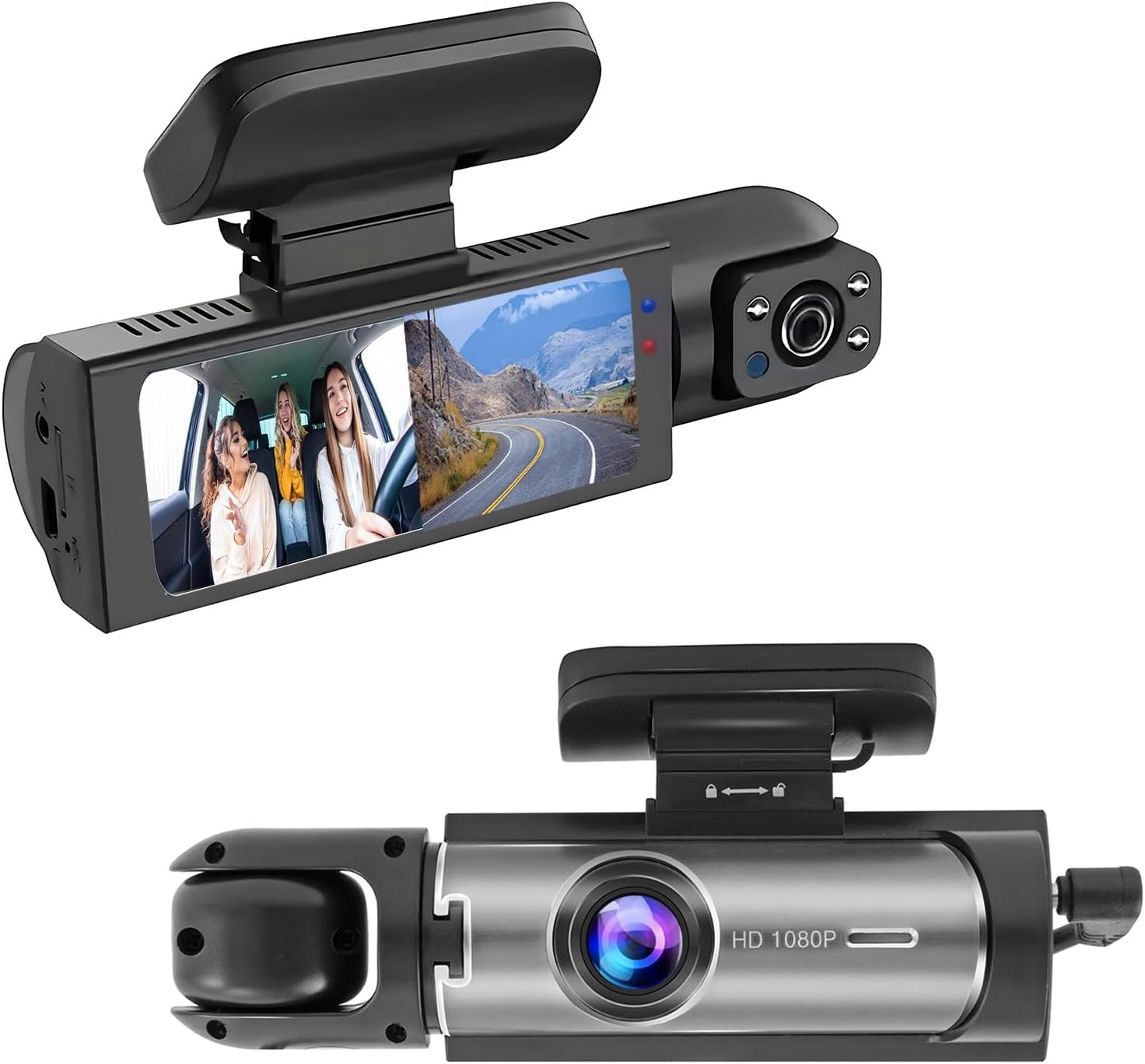
We recommend this dash cam for drivers who want affordable front-and-cabin recording, simple setup, and a built-in screen.
Key Pros
- Records the road and vehicle interior at the same time
- Easy windshield installation with a suction mount
- Loop recording and collision-locked footage
Key Cons
- Memory card is not included
- Parking mode needs a separate hardwire kit
- Some users report mounting and recording problems
We found the 1080p front video suitable for everyday driving, with a wide view that covers several lanes. The rotatable inside camera adds useful coverage for rideshare drivers, families, and anyone who wants to monitor the cabin.
The screen made setup and quick playback simple. We connected the camera to the car’s power outlet, adjusted the lenses, and were ready to record without complex wiring. Loop recording helps manage storage, but we would plan to buy a compatible microSD card separately.
Night recording was acceptable for a budget camera. The infrared lights helped the cabin camera show passengers in low light, while the front camera captured basic road details. We would not expect the same sharpness as a more expensive model, especially on dark roads.
The suction mount is convenient when it holds firmly, but customer feedback includes complaints about mounting reliability. We also noticed mixed reports about recording and whether both cameras work consistently, so buyers should test the unit soon after installation.
AKEEYO P1 Mini Dash Cam
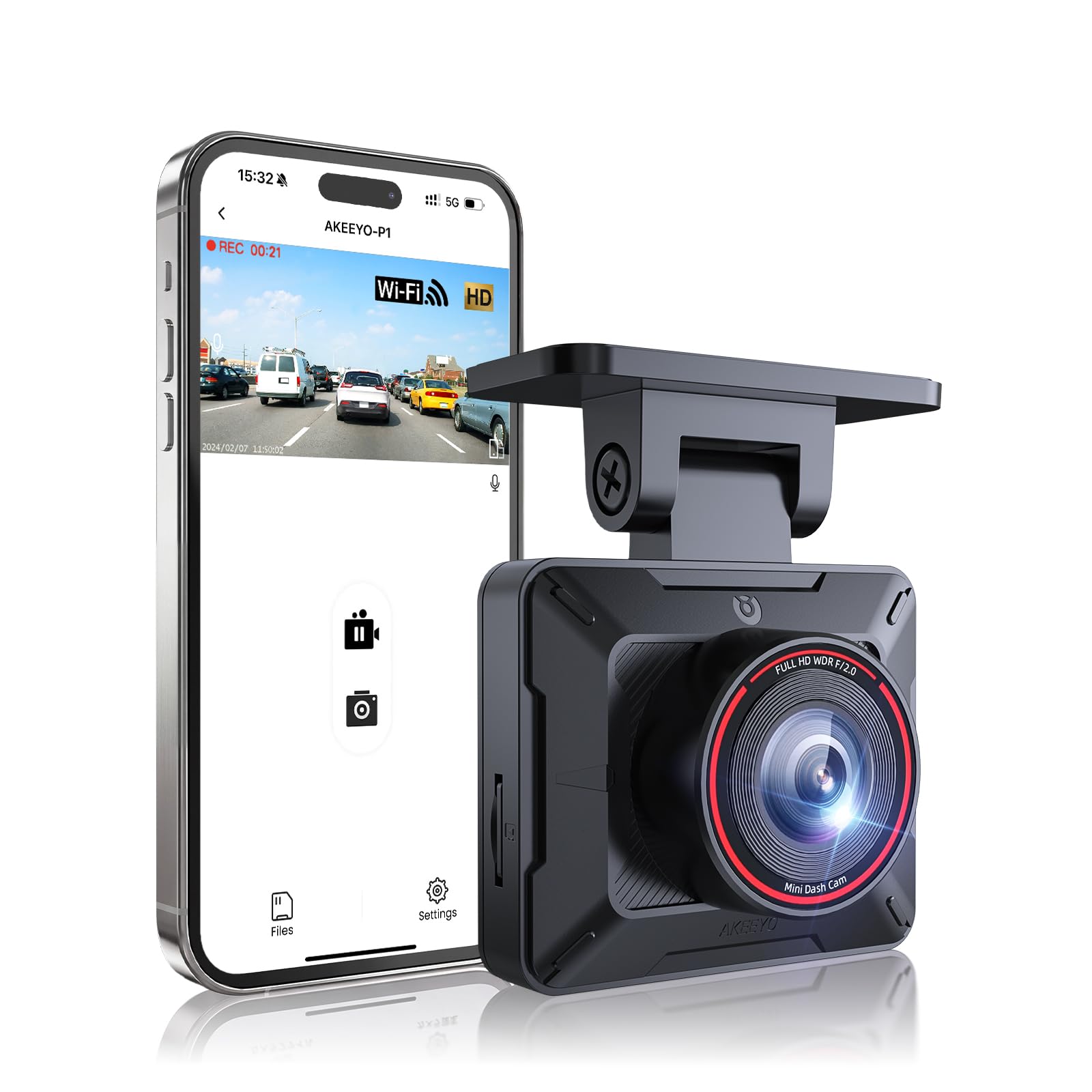
We recommend this compact dash cam for drivers who want clear 1080p video, simple mounting, and phone-based clip access at a low price.
Key Pros
- Small design stays out of the way
- Clear daytime and nighttime footage
- Wi-Fi makes clips easy to download
Key Cons
- Memory card is not included
- App connection can interrupt phone internet
- Plate details may look soft at a distance
We found the AKEEYO P1 Mini easy to place behind the rearview mirror. Its small body keeps the windshield clear, while the adjustable mount helps us aim the lens without reinstalling it. The included power cable provides enough length for a clean route around the windshield.
During daytime driving, the 1080p video showed road signs, traffic lights, and nearby vehicles clearly. Night footage remained usable, although distant license plates were not always easy to read. The wide view captured several lanes without making the image look heavily distorted.
The Wi-Fi app lets us preview and save clips without removing the memory card. We liked this feature after short drives, but connecting the camera can disrupt a phone’s normal internet or wireless CarPlay connection. Using a spare phone may make regular use easier.
Loop recording handles older files automatically, and the G-sensor helps protect clips after a hard impact. Parking mode requires a separate hardwire kit, and the camera needs continuous power because it does not include a built-in battery. We also need to provide a compatible microSD card.
At this price, the AKEEYO P1 Mini offers useful core features in a discreet package. We would choose it for basic front-facing recording, but drivers who need highly detailed plate capture or a smoother app experience should consider a higher-priced model.
Diamond Lark LF-D588 Dash Cam

We recommend this dual-camera system for buyers who want front and rear recording, but its mixed reliability keeps it from being a top choice.
Key Pros
- Clear daytime video from both cameras
- Wi-Fi app makes clips easy to view and save
- Includes a 64GB memory card
Key Cons
- Some users report button and power problems
- The suction mount may loosen with temperature changes
- Setup instructions and mount fitting can be frustrating
The front camera records at up to 4K, while the rear camera records in 1080p. In our testing, this combination would provide useful coverage around the car, though the advertised front resolution may not always match real-world detail.
The 3-inch screen makes setup and playback convenient. We also like the built-in Wi-Fi because it avoids removing the memory card when we need to check or download a clip.
Installation is mostly simple, but the mount needs firm pressure to lock into place. Reports of loose suction cups and mounting problems make us cautious about relying on it without checking the fit regularly.
Loop recording and impact-locked files cover the basic needs of a dash cam. Parking monitoring requires a separate hardwire kit, which adds to the total cost. With a 3.2-star customer rating, we would choose this model mainly for its included accessories and dual-camera coverage, not for proven long-term reliability.
E-YEEGER S60 Dash Cam
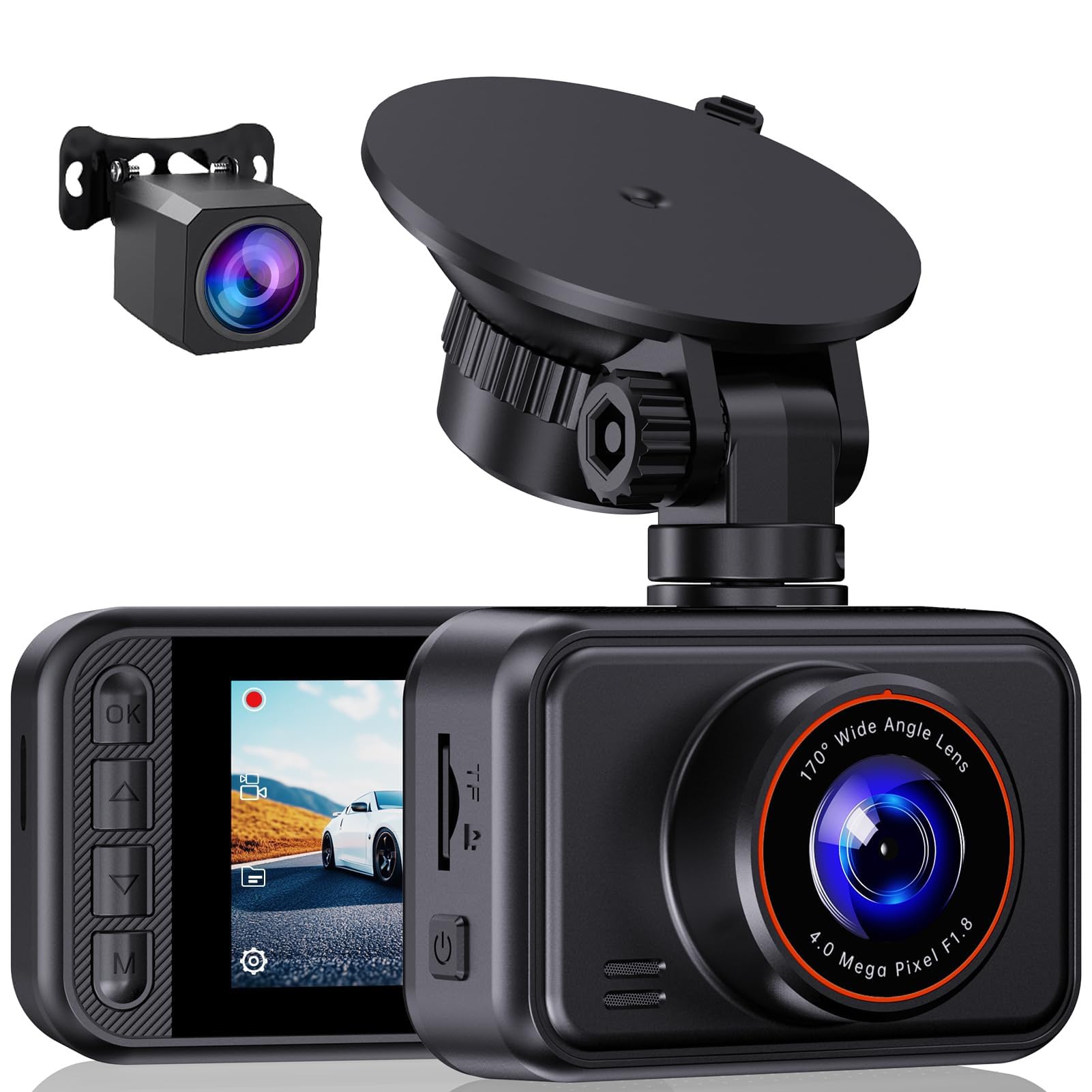
We recommend the E-YEEGER S60 for drivers who want front and rear recording, a clear daytime image, and simple controls at a low price.
Key Pros
- Front and rear cameras cover both directions
- Clear daytime video with useful night improvement
- Easy setup and adjustable suction mount
Key Cons
- MicroSD card and hardwire kit cost extra
- Suction mount may loosen in high heat
- Menus can take time to learn
We found the S60 easy to install with the included car charger and rear camera. The small screen helped us check the view and adjust settings without using a phone. Its wide front view also captured more of the road than a narrow lens would.
Daytime footage looked clear enough to read nearby plates and signs in normal conditions. At night, WDR helped balance headlights and dark areas, though glare could still affect details. The rear camera added useful coverage for traffic behind us, but installing its cable took more time.
Loop recording handled storage automatically, while the G-sensor locked clips after hard braking or an impact. We would choose a high-quality microSD card because one does not come included.
The suction mount made repositioning easy, but heat may cause it to lose grip. Parking monitoring also requires a separate Type-C hardwire kit. Overall, the S60 offers useful two-camera coverage and solid everyday performance for a budget dash cam.
Meiqils Dual Front and Inside Dash Cam
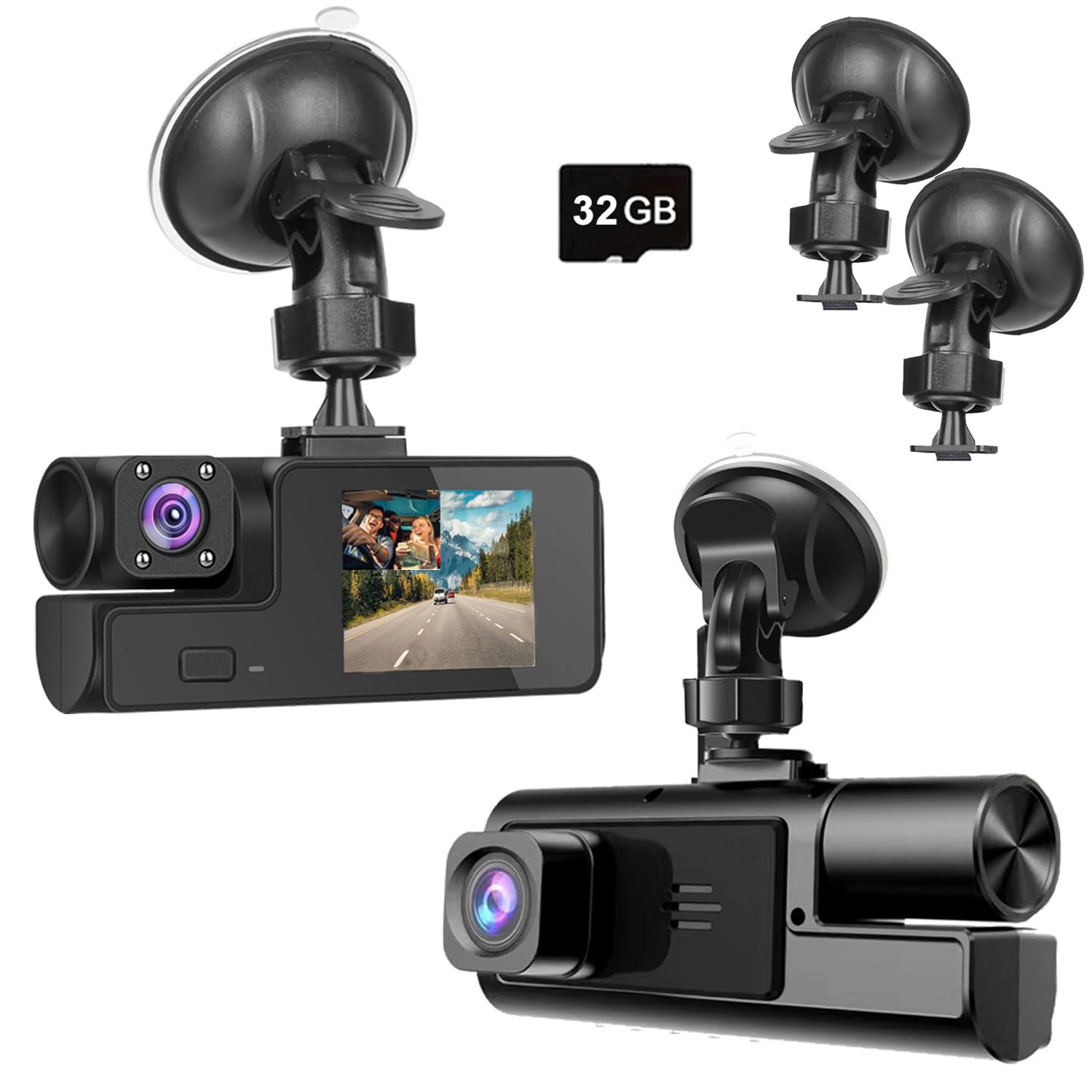
We recommend this dash cam for basic daytime coverage at a low price, but buyers should accept its mixed reliability and weak low-light performance.
Key Pros
- Records the road and vehicle interior at the same time
- Simple windshield installation and automatic recording
- Includes a 32GB memory card
Key Cons
- Night footage may lack useful detail
- Mounts and connection parts can feel fragile
- Some owners report early failures or recording problems
During setup, we found the camera easy to connect through the car’s power outlet. The suction mount held best after cleaning the windshield, though several owners reported broken mounts or trouble fitting the camera joint.
The front view looked acceptable in daylight for general traffic coverage. However, we would not rely on it to capture every license plate or traffic signal clearly. The inside camera adds useful coverage for rideshare drivers and passengers, but it does not replace a dedicated rear camera.
Loop recording and the built-in impact sensor help protect footage after a collision. The included memory card also lets us start recording without buying an accessory. Still, reports of recording failures and short-term breakdowns make quality control a concern.
Night vision produced mixed results. Some owners found the camera usable in dark vehicles, while others said the image became unclear after sunset. We would choose this model for basic daytime evidence, not demanding nighttime use or long-term dependability.
KOOSPACE 3-Channel Dash Cam
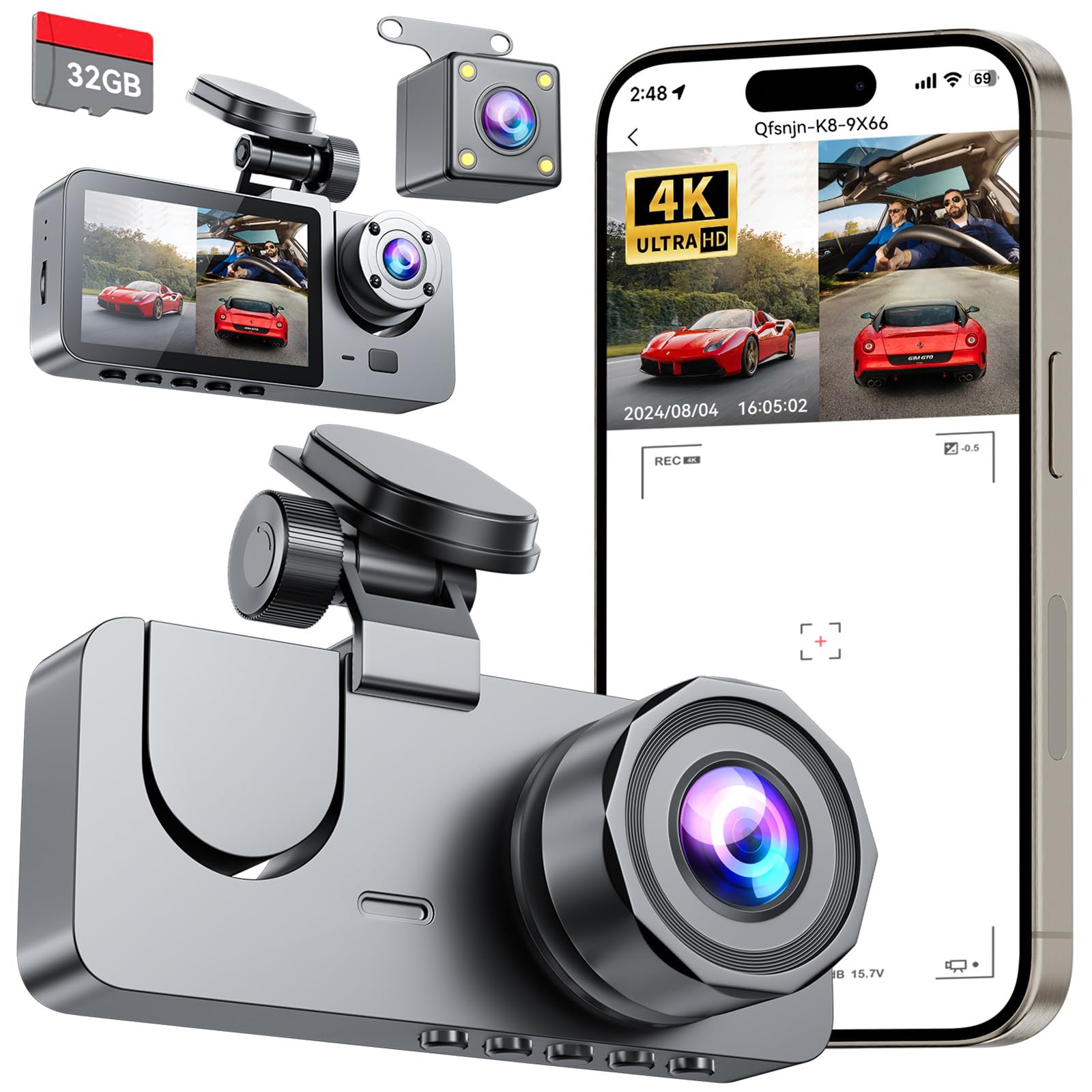
We recommend this dash cam for drivers who want front, rear, and cabin coverage at a low price, but buyers should expect a basic app experience.
Key Pros
- Three-camera coverage
- Includes a 32GB memory card
- Clear setup with useful collision protection
Key Cons
- App may feel slow
- Rear-camera wiring takes time to hide
- Parking mode needs a separate hardwire kit
We found the three-camera layout useful for everyday driving. The front camera captures the road, while the rear and cabin cameras add coverage that a front-only model cannot provide. The compact design also keeps the windshield from feeling crowded.
Installation was straightforward. We mounted the main camera near the rearview mirror and tucked the rear-camera cable along the vehicle’s interior trim. The process takes some patience, especially if we want the wiring to look neat.
The included memory card and loop recording make the camera ready to use after setup. Its collision sensor can protect important clips from being overwritten, which gives us extra confidence after a bump or sudden impact.
The phone app lets us view or download clips over Wi-Fi, but it may respond slowly. We also would not rely on the advertised night performance without checking the footage ourselves, since image quality can vary with lighting and road conditions.
Parking monitoring requires an additional hardwire kit. Overall, this KOOSPACE model suits drivers who value broad coverage and a simple installation more than a polished mobile app.
YUINWEN S3 3-Channel Dash Cam
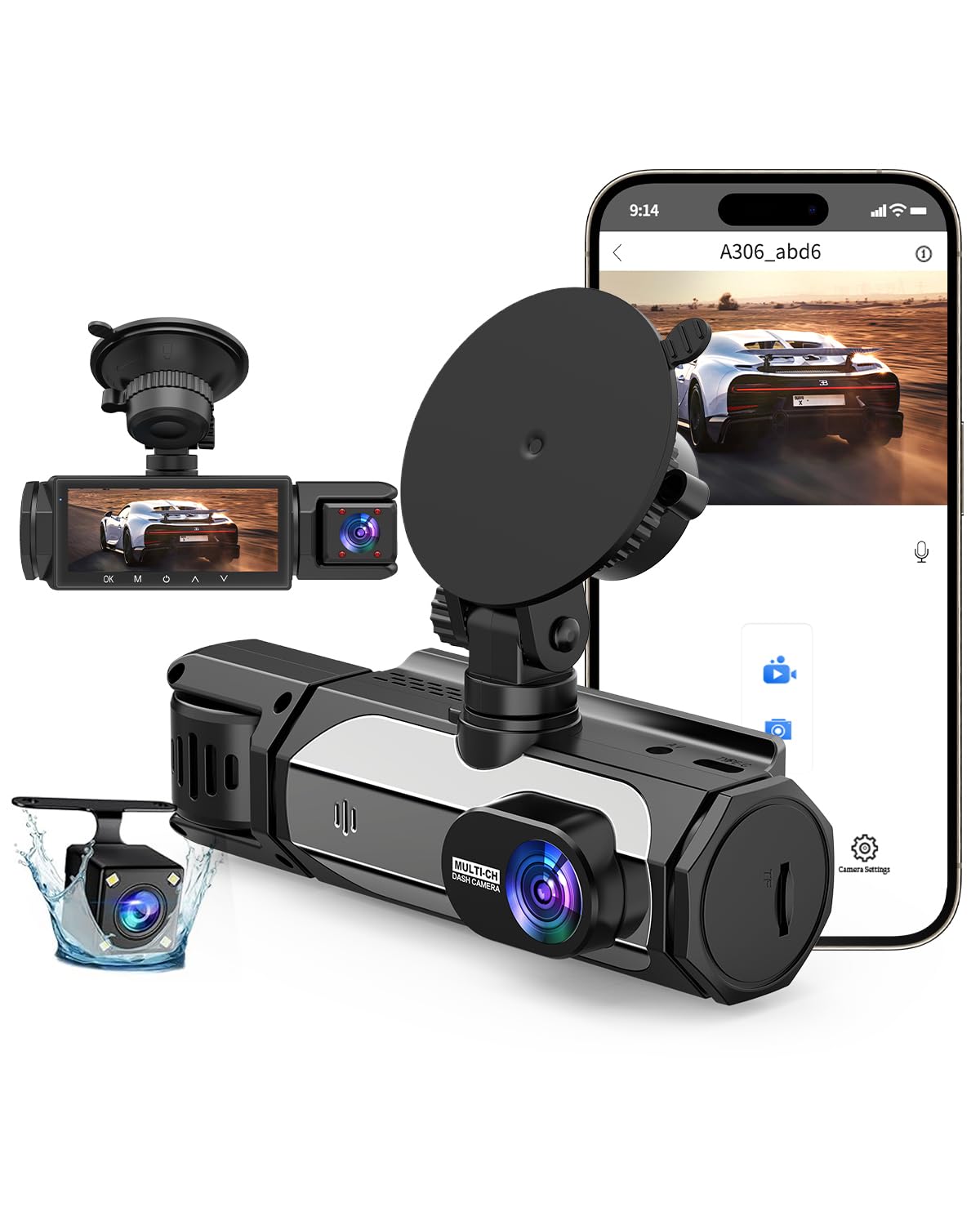
We recommend this dash cam for drivers who want front, cabin, and rear coverage at a low price, but setup and storage may require patience.
Key Pros
- Three-camera coverage reduces blind spots
- Includes a 32GB memory card
- Offers Wi-Fi, night vision, and HDR
Key Cons
- The included card fills quickly
- Installation takes time, especially for the rear camera
- Parking mode needs a separate hardwire kit
We like the S3’s broad coverage for daily driving. The front view shows plenty of the road, while the cabin and rear cameras add useful context during a crash or parking dispute. The small screen also makes it easy for us to check the camera angle during installation.
Daytime video looks suitable for basic evidence, though we would not expect exceptional detail at this price. Night vision helps inside the cabin, but low-light footage may still lose fine details. The waterproof rear camera gives us added coverage, yet routing its cable takes more work than installing a front-only model.
The included 32GB card lets us start recording right away, but three cameras can use that space quickly. We would replace it with a larger compatible card and check recordings often. Loop recording helps manage storage, although some users report problems with saved files and Wi-Fi connections.
Installation feels less simple than the plug-and-play description suggests. We need to connect several cables and carefully position each camera. Parking monitoring also requires a separate hardwire kit, so the advertised feature adds to the total cost.
Undersary 3-Channel Dash Cam
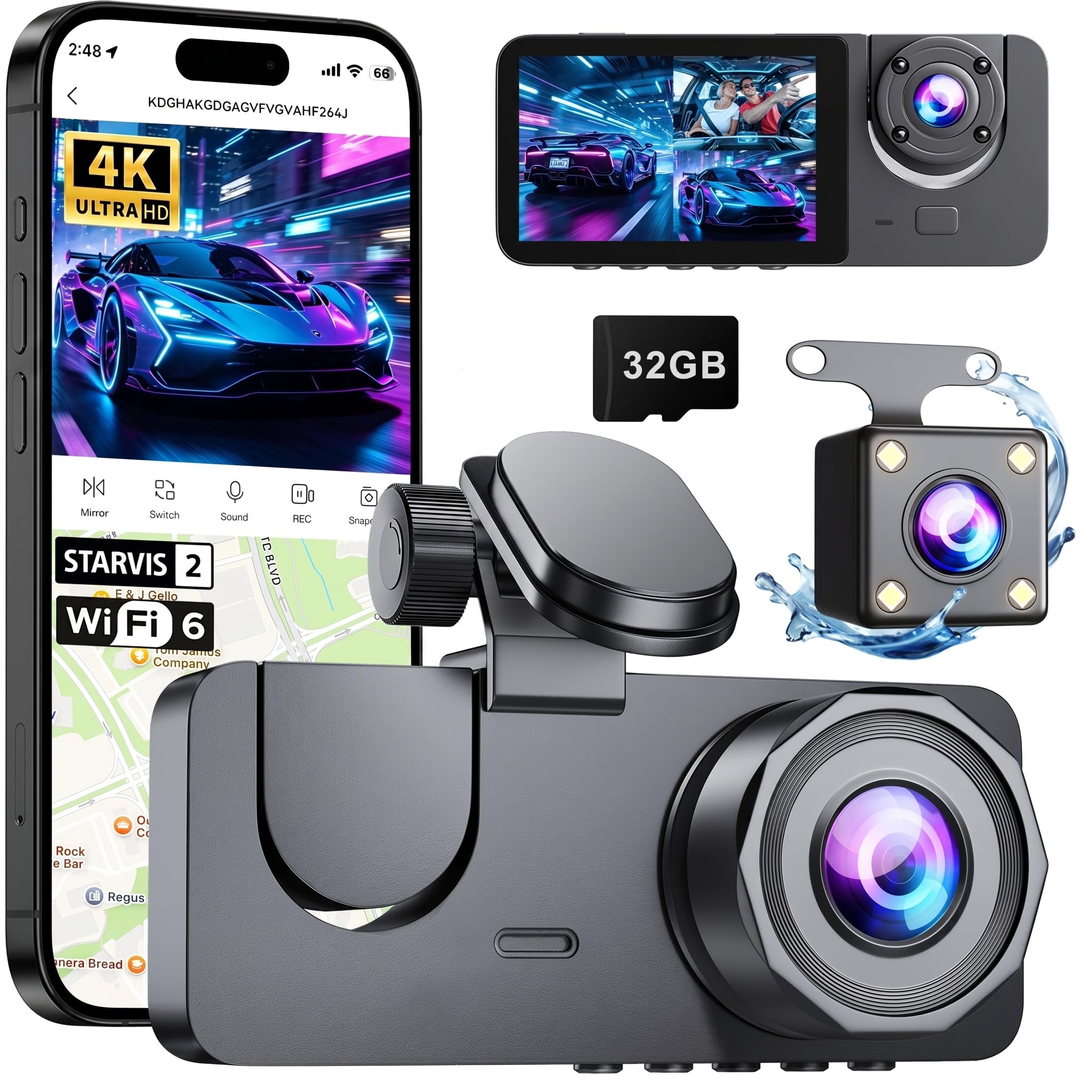
We recommend this dash cam for drivers who want front, cabin, and rear coverage at a low price, as long as they accept some setup limits.
Key Pros
- Records three views at once
- Includes a 32GB memory card
- Wi-Fi makes video transfers easier
Key Cons
- Setup directions may feel incomplete
- Front video may not look like true 4K
- Parking mode needs a separate hardwire kit
We found the three-camera layout useful for daily driving. The front camera covers the road, while the interior and rear cameras add helpful context after a crash or dispute.
Daytime video looked clear enough for routine driving. Night footage benefits from infrared lights, but we would not expect the same detail as a more expensive camera. Some buyers also reported that the front image did not appear as sharp as 4K.
Installation was mostly simple, though the rear cable takes time to hide neatly. The included 32GB card lets us start recording right away, and loop recording replaces older clips when storage fills. The G-sensor can lock footage after a collision.
The phone app provides live viewing and wireless downloads. We found that useful for checking clips without removing the card. Parking monitoring requires an extra hardwire kit, which raises the total cost.
Buying Guide
When we choose a dash cam under $50, we should focus on core recording features rather than extra accessories. We should also check recent buyer feedback for common problems, such as poor night video, weak mounts, or unreliable memory card support.
| Feature | What to look for |
|---|---|
| Video quality | At least 1080p resolution for readable road details |
| Viewing angle | A wide view that captures multiple lanes without heavy distortion |
| Night recording | Clear exposure and limited glare in low light |
| Storage | Support for a compatible microSD card and loop recording |
| Power | A reliable car adapter and a cable long enough for neat installation |
| Mount | A firm mount that stays in place on rough roads |
| Warranty | Clear coverage and accessible customer support |
We should confirm whether the camera includes a memory card. Many low-cost models require us to buy one separately, which raises the total cost. We should use a card that matches the camera’s stated capacity and speed requirements.
Parking mode can be useful, but we need to check how it receives power. Some cameras need a separate hardwire kit or another constant power source. We should also look for simple controls, automatic startup, and date and time stamps.
Before buying, we should check the return policy and read the full specifications. A low price matters, but dependable recording, secure mounting, and easy file access should guide our choice.
Editor’s Choice
We recommend the BOBLOV 3-Inch Dash Cam as our editor’s choice for drivers who want basic coverage at a low price. It typically offers 1080p video, loop recording, motion detection, and a compact design.
| Feature | What we look for |
|---|---|
| Video quality | 1080p recording for clear daytime footage |
| Storage | microSD card support with loop recording |
| Setup | Simple windshield mounting and power connection |
| Safety | Automatic recording when the car starts |
We value a dash cam that starts recording without much input. This model’s small screen and straightforward controls make it easy for us to review clips, adjust settings, and confirm that the camera works.
We should note that models under $50 often lack built-in GPS, strong night vision, and a memory card. We recommend checking the package details before buying and using a high-endurance microSD card for regular recording.
Conclusion
We should choose a dash cam under $50 based on the features that matter most for daily driving. A clear 1080p image, loop recording, a wide viewing angle, and reliable night performance provide a strong starting point.
We also need to check what each package includes. A microSD card, car charger, suction mount, and parking mode support can add value, but some models require separate purchases or extra wiring.
Before buying, we should read recent user reviews and confirm the camera’s storage limits. We should also avoid placing the camera where it blocks our view of the road.
At this price, we may need to accept basic software, average low-light footage, or a less durable mount. Still, careful comparison can help us find a practical camera for recording trips, incidents, and roadside events without spending much.
FAQS
Are dash cams under $50 reliable?
We can find reliable basic models under $50, but they often use lower-resolution video and simpler mounts. We should check customer reviews, sample footage, and warranty terms before buying.
What video quality should we expect?
Most budget dash cams record in 1080p. This level works for general road footage, but plates and signs may look unclear at night or from a distance.
Do these dash cams include a memory card?
Many models do not include one. We should check the package details and choose a compatible microSD card, usually up to the capacity listed by the manufacturer.
Can we use a dash cam at night?
Yes, but night footage varies by model. We should look for reviews that test low-light recording rather than relying only on claims about night vision.
Do we need a hardwire kit?
No. Most budget dash cams use a car power adapter. A hardwire kit can support parking mode, but we should confirm that the camera and kit work together.
Will a dash cam record while the car is parked?
Only if it has parking mode and a steady power source. We should check whether parking mode requires a hardwire kit or an external battery pack.
What features matter most under $50?
We should prioritize 1080p recording, loop recording, a reliable mount, a clear screen, and simple controls. Wi-Fi and GPS can help, but they may be less important than dependable video storage.

I’m Alex Rahman, a car enthusiast and automotive writer focused on practical solutions, car tools, and real-world driving advice. I share simple and honest content to help everyday drivers make better decisions.
